Updating Firmware - Web
This will guide you through updating the device firmware using the web tool esptool-js to flash your device.
NOTE
Please assure you have all the Required Resources before you begin.
Setup Steps
- Connect device to PC using USB cable
- Assure device is in
Debug Mode - Navigate to https://espressif.github.io/esptool-js/ on your PC
Verify Connection - Console
- (Optional) This might not work easily
- Open https://espressif.github.io/esptool-js/
- Navigate to the section label
Console - Press
Start
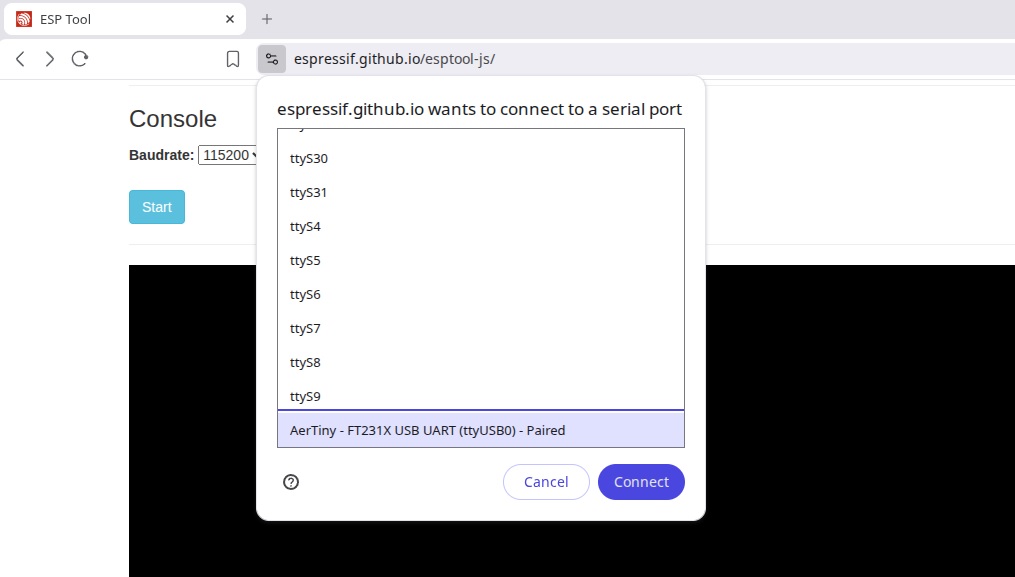
- You should then see Serial Monitor output on the console
Flash Firmware - Program
- Open https://espressif.github.io/esptool-js/
- Navigate to the section label
Program - Change the
Baudrateto115200

- Press
Connectto begin the connection to the device - Select your device from the list of USB devices found
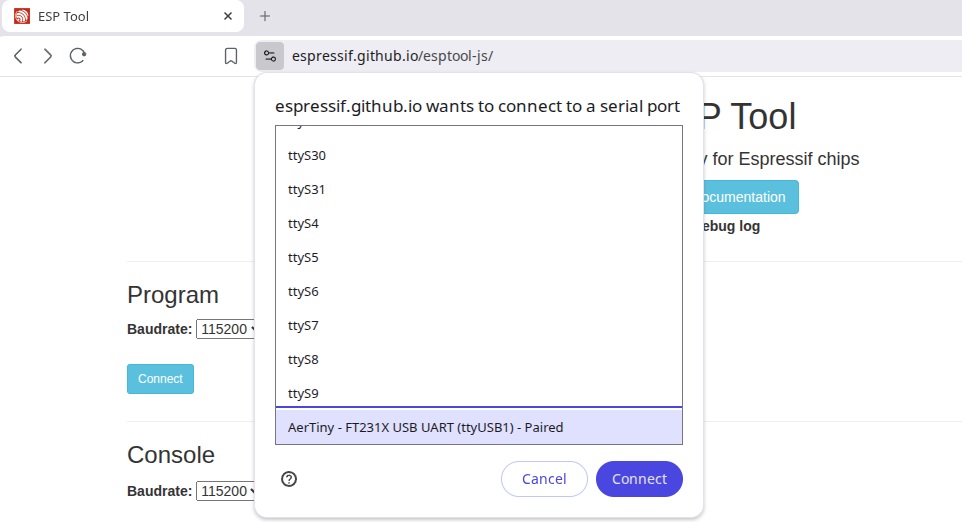
- You should now see something like this...
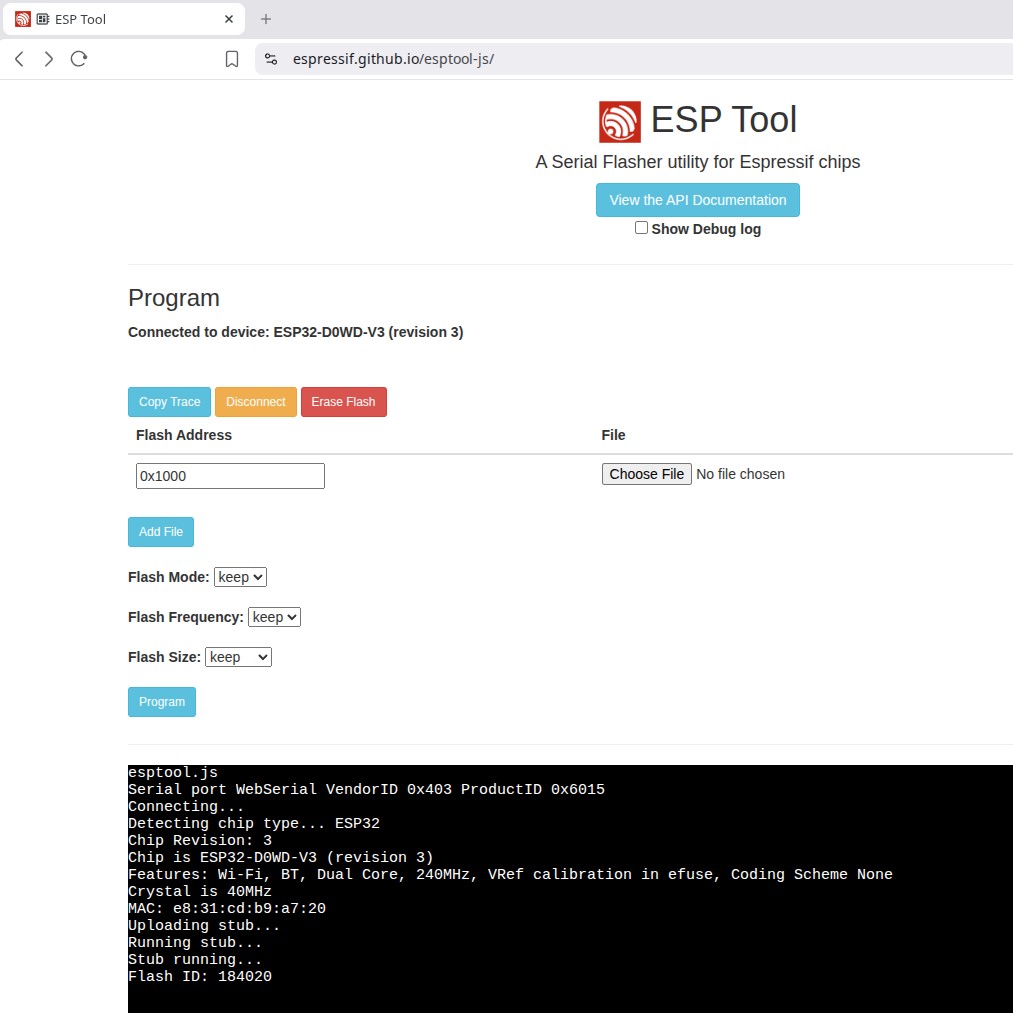
- Add and setup the files to upload
- Press
Add Fileto add another file - You should have two section for files to uplaod
- Press
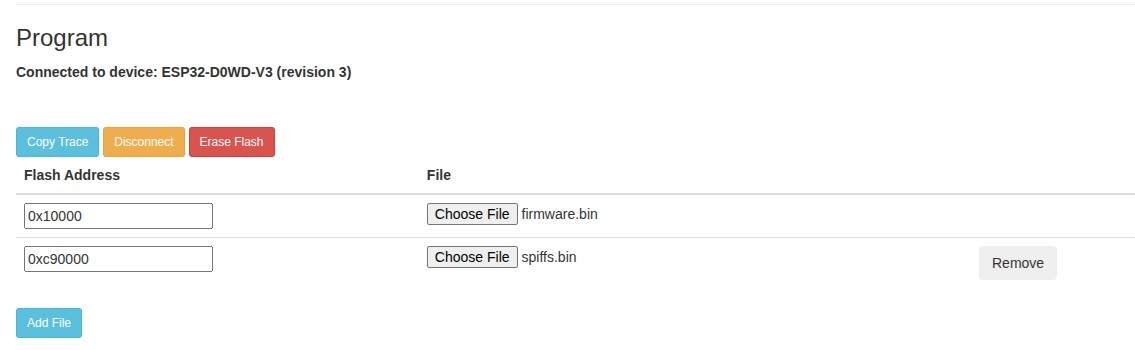
- Locate the appropiate files from your file system
NOTE
The firmware files are located in the Assets section on the AerPID3 project release page.
HINT
The Flash Address locations can be found in the aerpid_spiffs.csv file within the project sources.
- Assure the files are uploaded to the correct Flash Address:
firmware.binis located at Flash Address0x10000spiffs.binis located at Flash Addres0xc90000
- Verify and set the
Flash Mode,Flash FrequencyandFlash Size

- Flash Setup Parameters:
Flash Modeset todioFlash Frequencyset to40mFlash Sizeset to16MB
- Press
Program - If everything is correct; You will see it writing and a progress percentage scrolling by
- Please Wait for this to finish...
NOTE
The flash upload process may take a couple minutes to complete.
- Once complete; Press
Discconectto detach the programmer
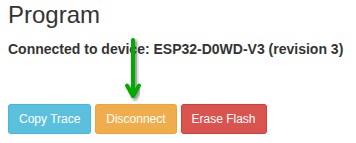
- Power cycle the device and verify the correct version was flashed
- You should now have completed the update to the firmware on your device
Required Resources
- Supported Interface Device (PC)
- Windows 7 or above, MAC, or Linux
- Web Tool: https://espressif.github.io/esptool-js/
- USB Driver for FTDI FT231X
- Installed as Virtual COM Port
- USB Cable connected between device and computer
DEBUGMode eneabled on your device